

Before You Delete the Side Spreadsheet, Understand Why It Exists
Side spreadsheets are common in construction.
And most of them aren’t created because someone decided the team needed another spreadsheet to maintain.
They’re created because someone needed information they couldn’t easily access, combine, track, or report somewhere else.
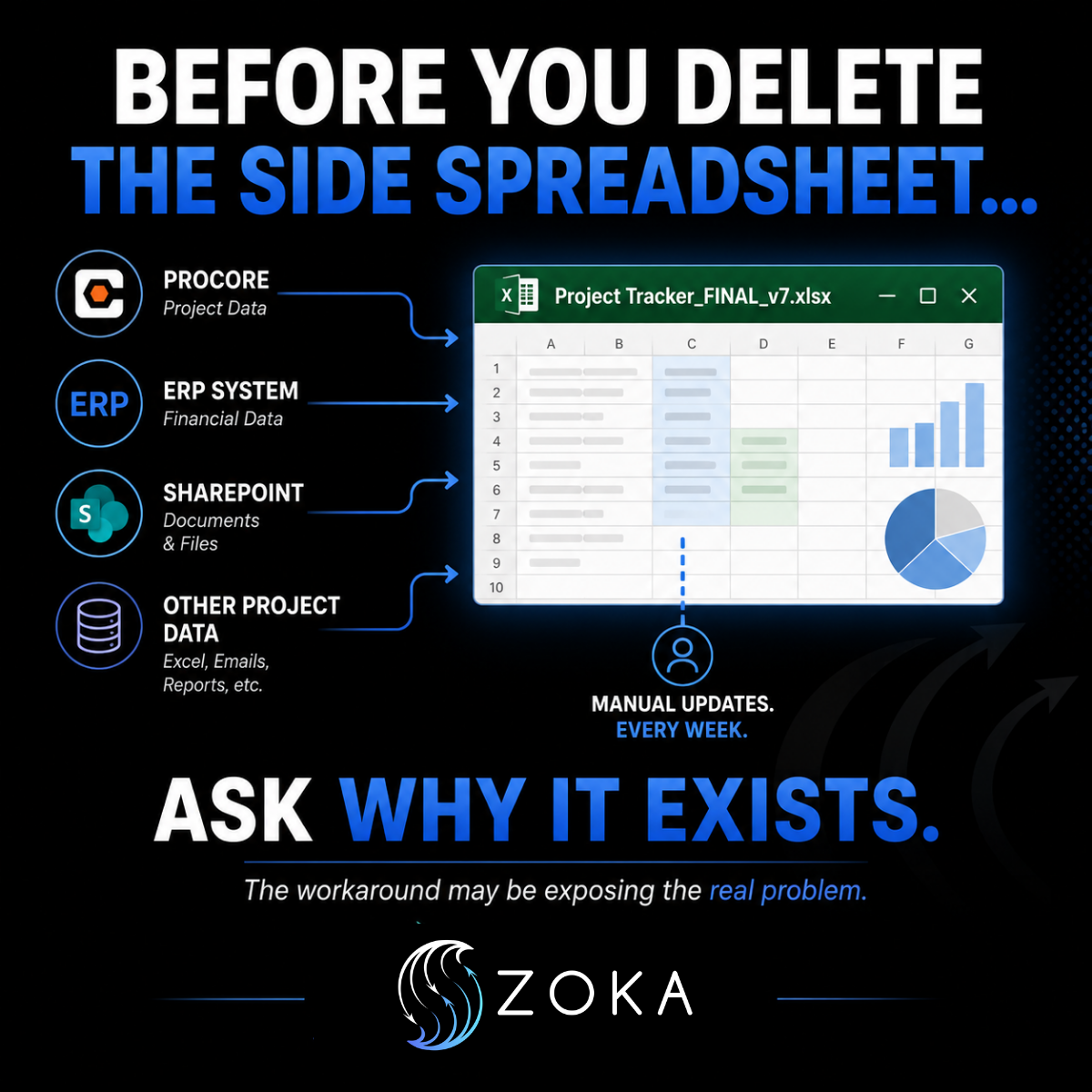
Project information may live in Procore. Financial data may live in Sage Intacct. Supporting documentation may live in SharePoint. Leadership may need information from all three to understand what’s happening across a project or portfolio.
So someone creates a spreadsheet.
It solves the immediate problem.
But then someone has to update it.
Manually.
Every week.
Over time, that spreadsheet can become an important part of the organization’s reporting process—even though it exists completely outside the systems that are supposed to be managing the information.
That’s when the spreadsheet starts telling you something worth paying attention to.
The Spreadsheet Isn’t Always the Problem
It’s easy to look at a manually maintained spreadsheet and decide:
We need to get rid of this.
Maybe you do.
But deleting the spreadsheet without understanding why it was created can simply remove the team’s workaround without solving the problem that required the workaround in the first place.
A side spreadsheet often exposes a gap somewhere between your systems, workflows, and reporting needs.
Maybe the information exists in your primary system, but it isn’t configured in a way that makes reporting easy.
Maybe different departments use different systems that don’t communicate with one another.
Maybe a workflow isn’t capturing information consistently.
Maybe leadership needs a view of project performance that doesn’t currently exist.
Or maybe the team doesn’t know how to use functionality that’s already available within its existing technology.
The spreadsheet becomes the bridge.
Start With the Purpose
Before changing the process, understand what the spreadsheet actually does.
Ask:
- What information is being pulled into it?
- Where does that information originate?
- How is the information collected?
- Who is responsible for updating it?
- How often does it need to be updated?
- Who relies on the spreadsheet?
- What do they use it for?
- What decision does the information help someone make?
Those answers can tell you much more than simply looking at the spreadsheet itself.
For example, if a Project Coordinator spends several hours every Friday pulling information from multiple systems into a leadership report, the problem may not be the spreadsheet.
The real problem may be that leadership doesn’t have a reliable way to see the information it needs without someone manually rebuilding it.
That’s an operational visibility problem.
Follow the Information Back to Its Source
Once you understand what the spreadsheet is accomplishing, trace the information backward.
Where does each piece of data originate?
Which system should be the source of truth?
Who enters the information?
When is it updated?
Does the same information get entered in multiple places?
Are people maintaining separate versions because they don’t trust what’s in the primary system?
This exercise can uncover problems that aren’t immediately obvious.
You may discover duplicate data entry.
You may find that two departments define or track the same information differently.
You may uncover missing ownership around updates.
Or you may realize that the information exists in your systems, but nobody has built a reliable way to bring it together.
Now you’re solving the underlying issue rather than simply removing the spreadsheet.
Determine What Kind of Gap You’re Dealing With
Not every side spreadsheet requires the same solution.
Sometimes it’s a workflow problem. Information isn’t being captured consistently or at the right point in the process.
Sometimes it’s a configuration problem. The software can support the team’s needs, but it hasn’t been configured to do so.
Sometimes it’s a reporting problem. The information exists, but teams can’t easily turn it into something useful for decision-making.
Sometimes it’s an integration problem. Information lives across multiple platforms and needs a better way to move between them.
And sometimes the spreadsheet is actually the most practical tool for the job.
The objective shouldn’t be to eliminate spreadsheets simply because they’re spreadsheets.
The objective should be to eliminate unnecessary manual work, duplicate information, inconsistent processes, and unreliable reporting.
The Cost of Manual Reporting Adds Up
One spreadsheet may not seem like a major operational issue.
But consider what happens when that process repeats every week across multiple projects.
Someone downloads information.
Someone copies it into another file.
Someone checks whether the numbers match.
Someone tracks down missing information.
Someone reformats everything for leadership.
Then the following week, they do it again.
Beyond the time involved, every manual handoff creates another opportunity for information to become outdated, incomplete, or inconsistent.
And when leadership relies on that information to make decisions, the issue becomes bigger than administrative efficiency.
It becomes a question of visibility and confidence in the data.
Build the Solution Around the Need
Once you understand why the side spreadsheet exists, you can determine the appropriate solution.
That may mean improving an existing workflow.
It may mean reconfiguring a project management system.
It may mean creating automated reporting.
It may mean connecting systems so information can move between them more efficiently.
Or it may mean establishing clearer ownership and standards around how information is entered and maintained.
The technology comes after the operational question:
What information does the team need, and what is the most reliable way to provide it?
What Your Side Spreadsheets Can Tell You
At ZoKa Solutions, we help organizations evaluate how information moves through their existing systems and workflows, identify where manual processes have developed, and determine what those workarounds are telling us about the larger operation.
The goal isn’t to eliminate every spreadsheet.
It’s to create processes and systems that give teams the information they need without unnecessary manual effort.
Because sometimes the spreadsheet everyone wants to eliminate is actually showing you exactly where the operational gap is.
Before you delete it, ask why it exists.